
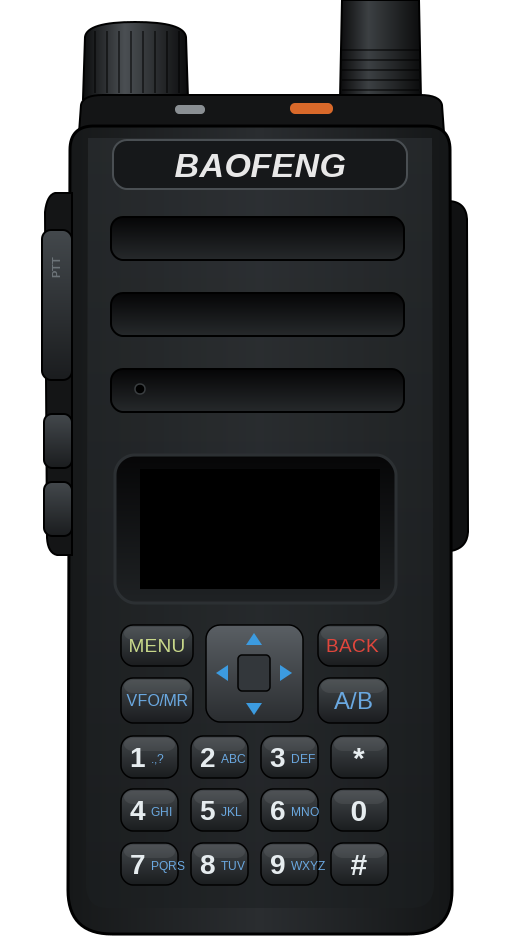
Baofeng DM-1801 Pro
Supportata
FM with CTCSS/DCS, DMR voice with the radio's own codec, DMR data and text, the hotspot, single frequency repeating, the PPP network services and each split duplex half work on air. Open: VHF transmit and VOX.
- Venduta anche come
- Baofeng DM-1801
- Tipo
- Portatile
- Bande
- 136-174 / 400-470 MHz · AM banda aerea 108-137 MHz · FM broadcast 87-108 MHz
- Potenza
- L / M / H
- Processore
- HR_C7000
- Schermo
- monochrome, 128 × 64
- Lettura della tensione
- Batteria
- Orologio mantenuto da spenta
- Sì (pila di riserva)
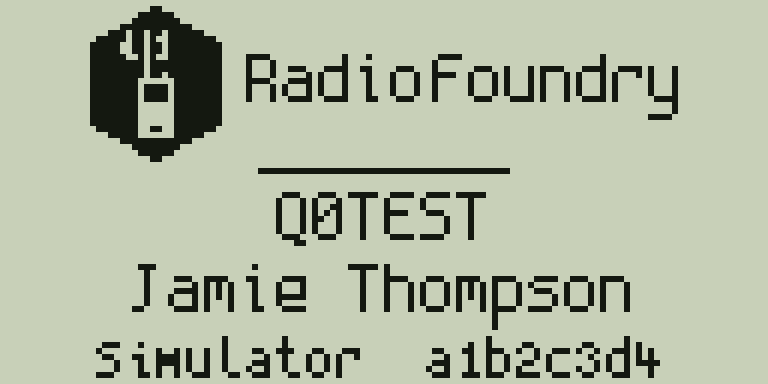
Schermate
Funzioni
| Funzione | Full | Amateur | Commercial | Multimode |
|---|---|---|---|---|
| Network (USB network adapter and IP over DMR) | ||||
Leave network mode from a web pageUSB_SERIAL_REQUEST | esclusa | esclusa | esclusa | esclusa |
IP over DMR gatewayDMR_IP_GATEWAY | inclusa | inclusa | inclusa | esclusa |
Minimal TCPNET_TCP | inclusa | inclusa | inclusa | esclusa |
KISS over TCP, port 8001NET_KISS | inclusa | inclusa | esclusa | esclusa |
HTTP status page and JSON, port 80NET_HTTP | inclusa | inclusa | inclusa | esclusa |
HTTP static files stored and served gzip compressedNET_HTTP_GZIP | inclusa | inclusa | inclusa | esclusa |
Web control: the front panel page, keys, status and receive audio over /wsNET_WEBCTL | inclusa | inclusa | inclusa | esclusa |
Zone and channel control over UDP, port 4191: where the radio is, select and step, change noticesNET_RADIO_UDP | inclusa | inclusa | inclusa | esclusa |
rigctld, port 4532NET_RIGCTL | inclusa | inclusa | inclusa | esclusa |
APRS-IS clientNET_APRSIS | inclusa | inclusa | esclusa | esclusa |
Audio linking (USRP over UDP, port 34001)NET_USRP | inclusa | inclusa | inclusa | esclusa |
mDNS / DNS-SD (rfoundry-<id>.local)MDNS | inclusa | inclusa | inclusa | esclusa |
TFTP codeplug read / writeTFTP | inclusa | inclusa | inclusa | esclusa |
DMR ID database over TFTP (iddb.bin, combined codeplug.bin)TFTP_IDDB | inclusa | inclusa | inclusa | esclusa |
Compact DMR ID database (format C) read beside format NIDDB_COMPACT | inclusa | inclusa | inclusa | inclusa |
Control station mode (boot as network, PC answers data, fixed link)DMR_CONTROL_STATION | inclusa | esclusa | inclusa | esclusa |
SNMP v2c agent and traps (USB and over the air)SNMP | inclusa | esclusa | inclusa | esclusa |
PPP on the serial host port (IPv4 into the gateway)NET_PPP | inclusa | inclusa | inclusa | esclusa |
| Radio and voice | ||||
Analog FM receive and transmitFM | inclusa | inclusa | inclusa | inclusa |
CTCSS / DCS encode and decodeSUBTONE | inclusa | inclusa | inclusa | inclusa |
DMR Tier II voice (modem, call stack, AMBE FEC, vocoder)DMR | inclusa | inclusa | inclusa | inclusa |
Basic privacy (Motorola / Anytone BP)DMR_PRIVACY | inclusa | esclusa | inclusa | esclusa |
AES-256 DMR voice, PI header and late-entry signalingDMR_AES | inclusa | esclusa | inclusa | esclusa |
Talker alias receive and sendDMR_TALKER_ALIAS | inclusa | inclusa | inclusa | inclusa |
ETSI GPS Info in the embedded LCDMR_GPS | inclusa | inclusa | inclusa | inclusa |
CSBK signaling: call alert, radio checkDMR_SIGNALING | inclusa | inclusa | inclusa | inclusa |
DMR emergency (alarm, emergency call, hot mic)DMR_EMERGENCY | inclusa | inclusa | inclusa | esclusa |
Repeater roamingDMR_ROAMING | inclusa | inclusa | inclusa | inclusa |
Tier III trunked systems: control channel, registration, following callsDMR_TRUNK | inclusa | inclusa | inclusa | inclusa |
Trunked calls and services: voice, status, short data, packet data, authenticationDMR_TRUNK_TX | inclusa | inclusa | inclusa | inclusa |
Trunked supplementary data and the short data pollDMR_TRUNK_SUPL | inclusa | inclusa | inclusa | inclusa |
Trunked calls through a system's telephone, line and dispatcher gateways: dialed digits sent with the callDMR_TRUNK_GW | inclusa | inclusa | inclusa | inclusa |
VFO (hand-tuned frequency)VFO | inclusa | inclusa | inclusa | inclusa |
FM VFOVFO_FM | inclusa | inclusa | inclusa | inclusa |
DMR VFO (color code, slot, talk target typed in; mode change FM / DMR)VFO_DMR | inclusa | inclusa | inclusa | inclusa |
Scan, band scan, dual watch, nuisance deleteSCAN | inclusa | inclusa | inclusa | inclusa |
Dual watch: A and B in any zone or the VFO, PTT on the selected one, its screens, talk backDUAL_WATCH | inclusa | inclusa | inclusa | inclusa |
Beeps and alert tonesBEEP | inclusa | inclusa | inclusa | inclusa |
Signaling tone chains (Settings > Signaling tones)SIG_TONES | inclusa | inclusa | inclusa | inclusa |
FM TX tones: roger beep, 1750 Hz burstFM_TX_TONES | inclusa | inclusa | inclusa | inclusa |
DTMF transmit from the keysDTMF | inclusa | inclusa | inclusa | inclusa |
Receive past the rated bands, Settings > AdvancedRX_EXT | inclusa | inclusa | inclusa | inclusa |
FM VOXVOX | inclusa | inclusa | inclusa | inclusa |
Frequency trim, Settings > AdvancedREF_TRIM | inclusa | inclusa | inclusa | inclusa |
Receiver battery saverBATTERY_SAVE | inclusa | inclusa | inclusa | inclusa |
Vibration alerts (Settings > Sound > Vibrate)VIBRATE | inclusa | inclusa | inclusa | inclusa |
Air band AM receive (108-137 MHz)AM_RX | inclusa | inclusa | inclusa | inclusa |
Broadcast FM receiverBCAST_FM | inclusa | inclusa | inclusa | inclusa |
D-STAR digital voice: GMSK modem, headers, slow data, clean-room AMBE codecDSTAR | non ancora scritta per questa radio | non ancora scritta per questa radio | non ancora scritta per questa radio | non ancora scritta per questa radio |
Yaesu System Fusion (C4FM): FICH, callsign data, DN voice with the radio's own codecYSF | non ancora scritta per questa radio | non ancora scritta per questa radio | non ancora scritta per questa radio | non ancora scritta per questa radio |
Fusion Voice FR (VW): the full-rate frame and layout, played and sent through core/mbe's codecYSF_VW | non ancora scritta per questa radio | non ancora scritta per questa radio | non ancora scritta per questa radio | non ancora scritta per questa radio |
Fusion through a modem chip's air interface: the board's FM copy into the core's soft modem, for a radio with no flat FM tapYSF_AIR | esclusa | esclusa | esclusa | esclusa |
Key assignment (Settings > Keys, codeplug)KEY_ASSIGN | inclusa | inclusa | inclusa | inclusa |
Channels list: every channel by number, a channel's settings (hub 5)CHANNEL_LIST | inclusa | inclusa | inclusa | inclusa |
Channel editor: edit a channel, New channel from current settings, text entryCHANNEL_EDIT | inclusa | inclusa | inclusa | inclusa |
Zone editor: move, add, copy and remove channels in a zone; rename, copy and delete a zoneZONE_EDIT | inclusa | inclusa | inclusa | inclusa |
Contact editor: a new contact from Find or a call's actions (name, ID, type, timeslot)CONTACT_EDIT | inclusa | inclusa | inclusa | inclusa |
Volume bar when a knob the MCU reads turns (#354)VOLUME_BAR | inclusa | inclusa | inclusa | inclusa |
P25 channels in the codeplug: the conventional codecP25 | inclusa | inclusa | inclusa | inclusa |
P25 trunked systems in the codeplug: the codecP25_TRUNK | inclusa | inclusa | inclusa | inclusa |
NXDN conventional voice, 4800 and 9600 bit/s: the frame codec, receive, the call layer, the engine and the NXDN mode in the radio coreNXDN | inclusa | inclusa | inclusa | inclusa |
NXDN Scrambler (15-bit)NXDN_SCRAMBLER | inclusa | esclusa | inclusa | inclusa |
| DMR data | ||||
Text messages (ETSI IP text by default)DMR_SMS | inclusa | inclusa | inclusa | inclusa |
Motorola TMS text formatDMR_TMS | inclusa | esclusa | inclusa | esclusa |
ARS registrationDMR_ARS | inclusa | esclusa | inclusa | esclusa |
LRRP locationDMR_LRRP | inclusa | esclusa | inclusa | esclusa |
Zone and channel sharing: send a zone or a channel, import an offered oneZONE_SHARE | inclusa | inclusa | inclusa | esclusa |
Compressed UDP/IP headers on transmit (SAP 3)DMR_UDP_COMPRESS | inclusa | inclusa | inclusa | inclusa |
Single frequency repeater: MMDVM SFR, and the standalone SFR (experimental)SFR | inclusa | inclusa | inclusa | inclusa |
Experimental: SFR user receive "dual-path RX": a voice frame whose FEC failed comes from the other copySFR_DUALPATH_RX | inclusa | inclusa | inclusa | inclusa |
Experimental: standalone SFR repeater's periodic CW ID (callsign in Morse, FM)SFR_CWID | inclusa | inclusa | inclusa | inclusa |
APRS: AFSK positions, status, messages; DMR positions; KISS TNCAPRS | inclusa | inclusa | esclusa | inclusa |
APRS on FM: AX.25 / AFSK packets, messages, KISS TNCAPRS_AFSK | inclusa | inclusa | esclusa | inclusa |
APRS over DMR: LRRP or UDT positions to a gateway IDAPRS_DMR | inclusa | inclusa | esclusa | inclusa |
APRS receive: demodulator, station list, digipeaterAPRS_RX | inclusa | inclusa | esclusa | inclusa |
APRS iGate rules (with tools/aprs_gate.py)APRS_IGATE | inclusa | inclusa | esclusa | inclusa |
| Host link and USB | ||||
Task stacks in the debug link viewTASK_STACKS | inclusa | inclusa | inclusa | inclusa |
Host link: hotspot, CPS, debug link on the host portHOSTLINK | inclusa | inclusa | inclusa | inclusa |
MMDVM hotspotHOTSPOT | inclusa | inclusa | esclusa | inclusa |
Split duplex repeater (two radios, one duplex modem)HOTSPOT_SPLIT | inclusa | inclusa | esclusa | esclusa |
Debug linkDEBUGLINK | inclusa | inclusa | inclusa | inclusa |
Open-firmware CPS protocol (qdmr)CPS_OPENFW | inclusa | inclusa | inclusa | inclusa |
Fast codeplug protocol (debug link CODEPLUG)CPS_FAST | inclusa | inclusa | inclusa | inclusa |
Loader hand-over (stub entry, command 0x1A)STUB_ENTRY | inclusa | inclusa | inclusa | inclusa |
Crash logCRASH_LOG | inclusa | inclusa | inclusa | inclusa |
Crash log screenCRASH_SCREEN | inclusa | inclusa | inclusa | inclusa |
Crash report over DMRCRASH_REPORT | inclusa | inclusa | inclusa | inclusa |
Hardware watchdogWATCHDOG | inclusa | inclusa | inclusa | inclusa |
Fault trace on the host UARTFAULT_TRACE | inclusa | inclusa | inclusa | inclusa |
| User interface | ||||
Diagnostics pageDIAG | inclusa | inclusa | inclusa | inclusa |
Backlight test pagesBACKLIGHT_TEST | esclusa | esclusa | esclusa | esclusa |
Anti-aliased fontsFONT_AA | esclusa | esclusa | esclusa | esclusa |
Spanish on the radioLANG_ES | inclusa | inclusa | inclusa | esclusa |
Italian on the radioLANG_IT | esclusa | esclusa | esclusa | esclusa |
French on the radioLANG_FR | esclusa | esclusa | esclusa | esclusa |
Chinese glyph table for channel namesCJK_GLYPHS | esclusa | esclusa | esclusa | esclusa |
Start in SpanishLANG_DEFAULT_ES | esclusa | esclusa | esclusa | esclusa |
Start in ItalianLANG_DEFAULT_IT | esclusa | esclusa | esclusa | esclusa |
Start in FrenchLANG_DEFAULT_FR | esclusa | esclusa | esclusa | esclusa |
Settings menu on the radioUI_SETTINGS | inclusa | inclusa | inclusa | inclusa |
Support info on About and the debug link (build source, chips, image hash)SUPPORT_INFO | inclusa | inclusa | inclusa | inclusa |
Satellite TLE catalog, pass prediction and Doppler compensationSATELLITE_TLE | inclusa | inclusa | esclusa | inclusa |
| Built by default on each radio | ||||
CJK_FONT_IN_FLASHCJK_FONT_IN_FLASH | esclusa | esclusa | esclusa | esclusa |
PINYINPINYIN | esclusa | esclusa | esclusa | esclusa |
PINYIN_IN_FLASHPINYIN_IN_FLASH | esclusa | esclusa | esclusa | esclusa |
● inclusa · ○ esclusa
Non disponibile su questa radio: USB device, USB network adapter (CDC-NCM), 16x32 font, Larger text, Chinese on the radio, Start in Chinese, Color screen settings (theme, highlight color, filled status bar), GPS receiver: the module driver and its NMEA input (Settings > Location > GPS), Settings and codeplug storage on SPI NAND, GPS screen: sky plot, signal bars, grid locator (Tools > Position)
Entrare in modalità aggiornamento
- Collega il cavo di programmazione alla radio e al computer.
- Apri l'utility di programmazione e scegli il cavo. Una radio che esegue già RadioFoundry viene rilevata senza tenere premuti tasti né spegnerla.
- Altrimenti, spegni e riaccendi la radio quando richiesto. Non tenere premuti tasti. Lo schermo resta buio e il LED in alto lampeggia di giallo mentre la radio è in modalità aggiornamento.